
How to Increase Pinterest Traffic in 2026: Seven Basics That Work Every Time
640M people use Pinterest monthly. These 7 basics turn that reach into steady website traffic: keyword research, click-worthy Pins, and automation.
By Pedro Campos

 Supapin
Grow your traffic with Pinterest
- Turn your pages into pins
- Rank in Pinterest search
- Drive clicks back to your site
No credit card required
Anyone who has been trying to grow website traffic already knows how unpredictable it can be to depend solely on Google or social media alone. Search rankings change overnight, and social posts fade within hours, making it hard to rely on a steady flow of visitors.
But Pinterest is different, and it keeps growing. Take a closer look at the Pinterest Statistics, as of June 30, 2026, Pinterest had 640 million monthly active users, up 11% from a year earlier, along with an addition in their revenue growth, which shows people don't just scroll and leave Pinterest they're actively buying through it.
Pinterest does not work like other social platforms. A pin posted today can keep resurfacing in search and sending traffic for months and even years after it was first posted.
Whether you run a blog, an online store, an Etsy shop, or a content website, there are a few simple things you can do to turn that reach into real traffic for your site. Here's what works to increase Pinterest traffic.
Understand the search pattern of your target audience
Before you create a Pin, spend some time understanding how your target audience searches for your topic. A great starting point is to check Pinterest's search suggestions since they reveal the exact words people use when looking for products, inspiration, ideas, recipes, and solutions.
Type a general or broad term into Pinterest's search bar without hitting enter, and you'll see autocomplete suggestions pop up below.
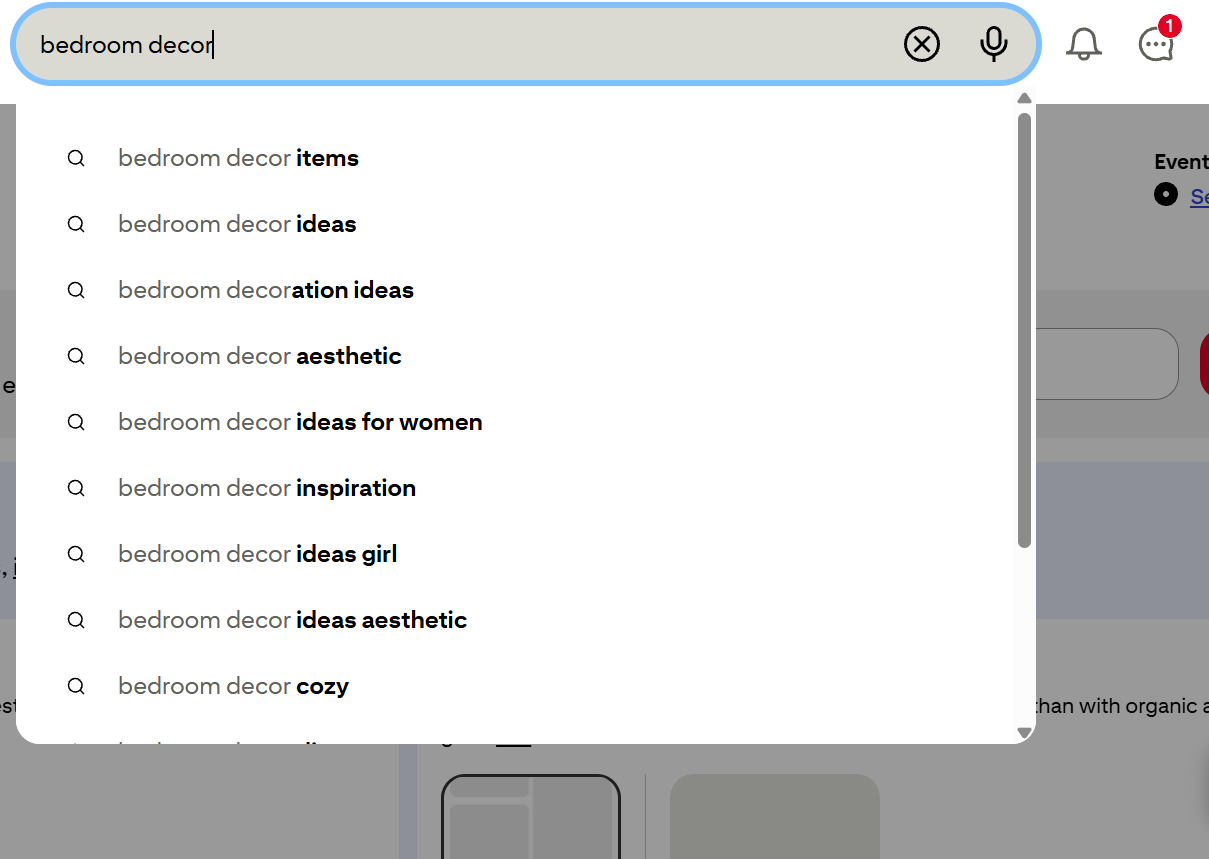
These come straight from real user searches. Type "bedroom," and you'll see options like "bedroom ideas," "bedroom decor," or "bedroom colors," each one showing you what people are actually looking for.
Keep in mind, design isn't what pulls in consistent traffic on Pinterest. It comes down to doing the keyword research first and building Pins around what people are already typing into search.
Say you run an online home decor store with a blog about making small bedrooms feel bigger. Instead of a generic Pin titled "Bedroom Decor," search around your topic and you'll spot suggestions like "small bedroom ideas" or "how to make a tiny bedroom look bigger." Each targets a slightly different intent, so once you know what your audience is searching for, creating Pins takes far less guesswork. If you want to go deeper, here's a full walkthrough on Pinterest keyword research.
Your Pin must be worth clicking
A Pinterest user is looking for visual content. An eye-catching image may get their attention, but attention alone will not create website traffic.
The Pin needs to convey a clear reason to click. Compare "Small Bedroom Ideas" with "10 Small Bedroom Ideas That Make Your Bedroom Feel Bigger." The second headline gives the user a much clearer reason to click. It tells the user exactly what they'll find and why it may be useful.
The same trick also applies to ecommerce. A fashion outlet might turn one product into several content ideas: "How to Style a White Satin Dress," "White Satin Dress Outfit Ideas," or "What to Wear on a Cocktail Evening."
Each Pin can lead the user to the same product or page while targeting a different search intent.
This is where Pinterest becomes promising for businesses with a wide collection of products or content. One URL doesn't have to produce just one Pin.
Turn one piece of content into multiple Pins
One of the best things about Pinterest is that it gives you the space to utilize your existing content for multiple pinning opportunities.
Let's say you have a blog post called "15 Small Bedroom Decor Ideas." You don't have to promote it using one design and jump on to the next task.
You can design different creative takes around the same article for example, cozy bedrooms, storage ideas, apartment bedrooms, minimalist bedrooms, and ways to make a small room appear larger.
Each Pin can use a different headline and design while leading users to the same relevant page.
The important part is versatility. Making ten copies of the same Pin isn't the way to go. Creating ten different ways for users to explore valuable content is the right way.
If you have tens or thousands of pages on your website, creating Pins for all of them can get time-consuming pretty quickly.
You may already have a lot of content to share; the hard part is turning that content into fresh Pins regularly. This is where Pinterest automation can help take some of those repetitive tasks off your checklist.
Focus on clicks, not just impressions
If your goal is to grow website visits, optimize for traffic, not just impressions. If one Pin gets 20,000 impressions and 400 outbound clicks while another receives 6,000 impressions and 700 clicks, the second Pin is clearly more productive to boost website visits.
That's why outbound clicks and click-through rate should play a central role in your Pinterest strategy.
Your analytics can tell exactly which topics, headlines, designs, and content angles are actually bringing users to your website. Once you spot a specific pattern, use it for your next batch of Pins.
This will create a much more effective cycle overtime:
Create → Publish → Measure → Learn → Create better Pins
Instead of doing guesswork, you're developing your own Pinterest strategy around evidence from your own target audience.
Make Pinterest a consistent traffic channel
Pinterest traffic does not come from one perfect Pin, infact it rarely happens. It comes from consistently creating a whole library of useful content that can continue to be discovered over time. That means staying consistent matters.
You can even schedule seasonal content ahead of time, create fresh Pins for your evergreen content, and put more effort into the topics that are already bringing you clicks.
But keeping up with all of this can be tough when your website has hundreds of products or blog posts.
Finding the right pages, creating different Pins, writing the copy, and scheduling everything takes time.
This is where automation comes into play. Instead of doing each step manually, SupaPin lets you turn your existing website content into fresh Pinterest Pins and keep them scheduled consistently.
That way, you can spend less time on repetitive tasks and more time figuring out what content is actually pulling traffic to your site.
Automate your Pinterest using SupaPin
Once you get a clear idea of what your target customers are searching for, the next task is to begin creating and publishing the Pins. And if you have a whole lot of content on your website, creating one Pin at a time can tire you out quite quickly.
This is where SupaPin comes to your rescue!
Instead of starting from scratch every time, SupaPin can access the content you already have up on your website to create Pinterest Pins. It can pull in details like your titles, images, descriptions, and links, so you don't have to copy and paste everything by yourself.
You can also make different Pin designs, customize them to align with your brand, generate Pin titles and descriptions, and schedule your Pins well in advance.
So rather than sitting down every day to figure out what to post, you can prepare your content ahead of time and let it run on a schedule.
This becomes particularly helpful when you have hundreds of blog posts, products, or other pages you want to promote. The hard part isn't finding content to share since you already have it. The challenge is turning that content into fresh Pins consistently.
With automation tools handling the repetitive tasks, you can spend less time on busywork and more time creating good content and growing your business.
When Pinterest plays an important role in driving traffic to your site, having a system in place can help you stay consistent without making it feel like a chore.
Ready to grow your traffic with Pinterest?
Turn the pages you already have into pins that send traffic back to your site.
Start for freeRelated Posts
BlogToPin vs Pinterest Scheduler vs Supapin: Which Fits You?
Pinterest's native scheduler, BlogToPin and Supapin compared: what each one automates, real pricing, and a straightforward way to decide which fits your workflow.
Tailwind vs Pin Generator vs Supapin: Which Fits Your Workflow?
A practical comparison of Tailwind, Pin Generator and Supapin: what each tool automates, what you still manage yourself, and which workflow fits your site.
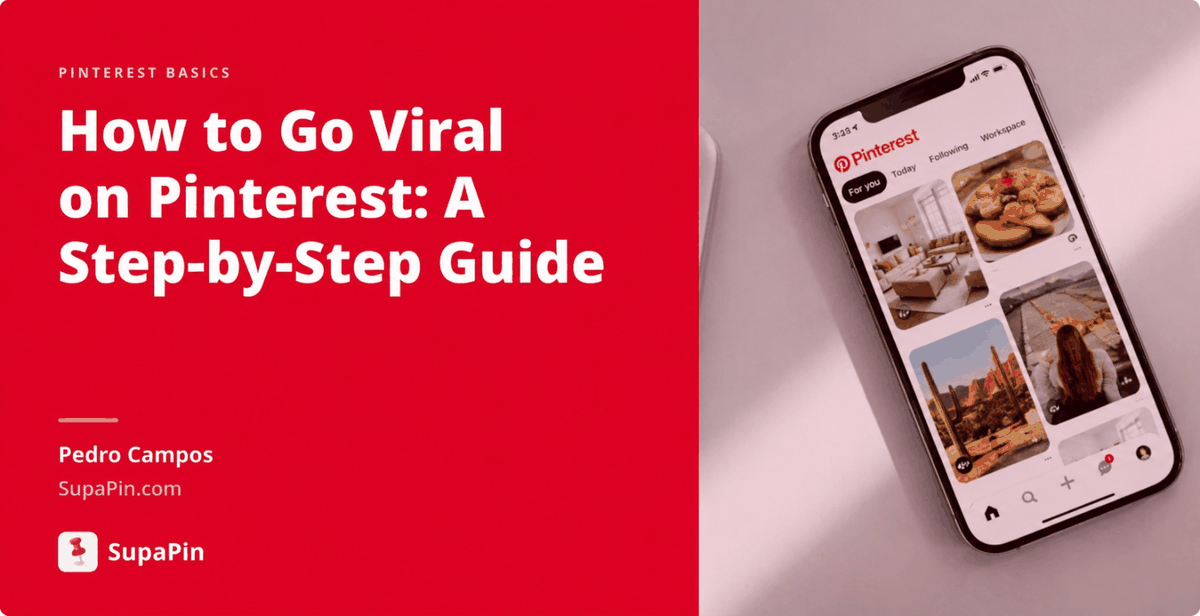
How to Go Viral on Pinterest in 2026 (7 Ways That Work)
Going viral on Pinterest isn't luck. Seven repeatable tactics — design, SEO, volume, cadence and tracking — that actually move pins in 2026.