
BlogToPin vs Pinterest Scheduler vs Supapin: Which Fits You?
Pinterest's native scheduler, BlogToPin and Supapin compared: what each one automates, real pricing, and a straightforward way to decide which fits your workflow.
By Pedro Campos
 Supapin
Grow your traffic with Pinterest
- Turn your pages into pins
- Rank in Pinterest search
- Drive clicks back to your site
No credit card required
Publishing a single pin looks like one task from the outside. Up close, it's six or seven: design the image, write the title, write the description, size it correctly, pick a board, choose a time, and upload.
Do that once and it's fine. Do it every week for a growing site and it turns into the reason Pinterest keeps sliding down the to-do list.
The right tool is the one that automates the parts of the workflow most people don't want to keep doing themselves, whether that's designing a single pin by hand, writing the copy, or just remembering to hit publish on time.
It's worth saying upfront that these three aren't the same class of product, even though they get compared constantly. Comparing them side by side is still useful, because the actual decision most people are making isn't which tool is best. It's how much of the workflow they're ready to hand off — and Pinterest's native scheduler simply isn't built to take on that much.
A quick comparison
Pinterest's native scheduler covers the publishing step and leaves everything before it — design, copy, board picks — in your hands, which makes sense given it's free and built into every account.
BlogToPin takes over the entire production line, from design to publishing, for a single site at a time.
Supapin does the same, but builds every pin around your site's actual brand and adds a review step, team access, and a wider set of tools around the automation itself.
| Feature | Pinterest native scheduler | BlogToPin | Supapin |
|---|---|---|---|
| Category | First-party publishing feature | Website-to-pin automation | Full Pinterest workflow platform |
| Best for | Low volume, occasional publishing | Bloggers who want volume without designing pins | Sites and agencies that want on-brand pins |
| Pin design | You design each one | AI-generated designs from your site | Branded templates using your colors and fonts |
| Titles and descriptions | You write them | AI-written | AI-written, Pinterest SEO-tuned |
| Board selection | Manual | AI-picked | AI-picked with manual override |
| Scheduling limits | 10 pins queued, 30 days ahead | 35 to 1,000 pins/day depending on plan | Credit-based, no daily cap |
| Manual work remaining | Design, copy, sizing, board, upload | Approve pins before publish | Review pins before publish |
| Team members | N/A | Enterprise plan only (coming soon) | Included from Pro plan |
| Free option | Yes, with a Business account | Limited free pinning | Free plan; paid unlocks publishing |
| Starting price | Free | $25/mo billed annually | $17/mo billed annually |
Pinterest's native scheduler: scheduling without automation
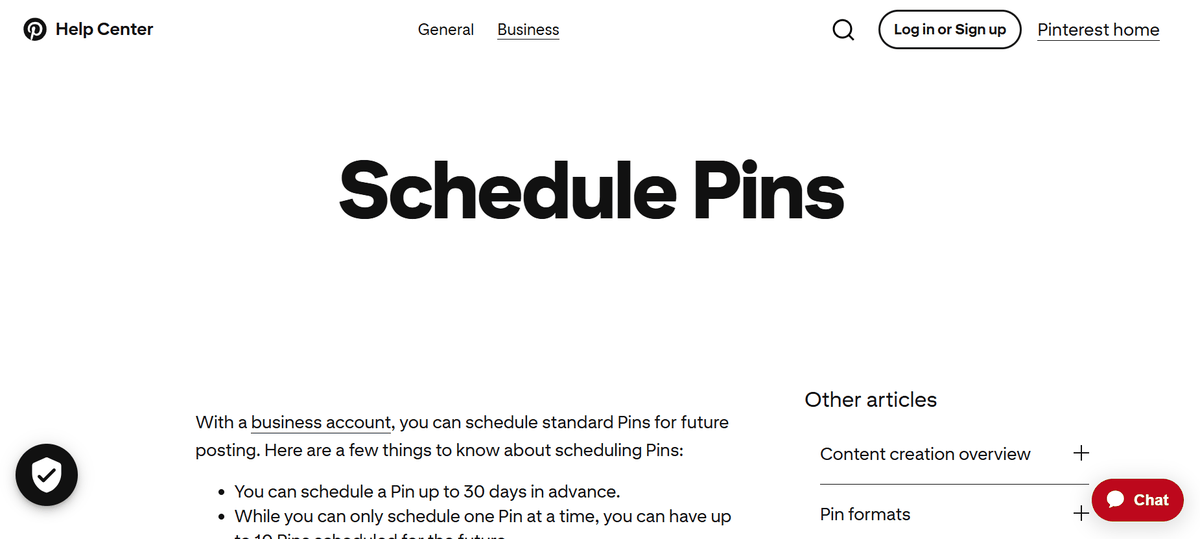
Pinterest's native scheduler is the free scheduling feature built into any Pinterest Business account. It lets you set a publish time when creating a pin, and that covers most of what it does.
It doesn't design pins, write copy, or pick boards on your behalf. It holds a pin and releases it at the chosen time.
The workflow: design the pin → write the title and description → pick a board → set a time → publish. Every step before "publish" is manual.
The limits are worth knowing because they are often what makes people look for another option. Pinterest lets you queue up to 10 pins at a time, scheduled up to 30 days ahead. Only standard pins can be scheduled, one at a time. Once a pin is scheduled, its image or video can't be changed.
To be fair to Pinterest, there is more to its publishing tools than manual scheduling. RSS auto-publishing can take the featured image and title from a new blog post and turn it into a pin automatically. CSV bulk upload can queue up to 200 pins at once, as long as the pins have already been designed elsewhere. Both are useful, and leaving them out would give an incomplete picture.
The native scheduler still doesn't solve the bigger workflow problem, though. RSS auto-publishing relies on the images and information available in the blog feed, while CSV upload only speeds up the last step. Someone still has to design those 200 pins before uploading them.
That makes Pinterest's native scheduler a solid fit for a specific type of user: someone who already designs their pins elsewhere, publishes fewer than 10 pins a week, or is still testing whether Pinterest is worth the effort. It's free, straightforward, and does what it promises. It's a useful starting point, not a complete Pinterest content workflow.
When Pinterest's built-in tools stop being enough
Native scheduling works well until you want more than ten pins queued at once, or until designing every pin by hand starts making Pinterest feel more like a chore than a useful channel.
The same thing happens with the copy. Writing every title and description can eat up a Sunday that could have been spent on something else.
And once Pinterest actually starts bringing in traffic, the question quietly changes from "can I keep up with this?" to "how do I make this bigger?"
That is usually the point where a dedicated Pinterest automation platform stops being a nice-to-have and starts saving enough time to justify the cost.
Two tools are worth a closer look at that stage: BlogToPin and Supapin. From here, the question is which one fits the way you want to manage and grow Pinterest.
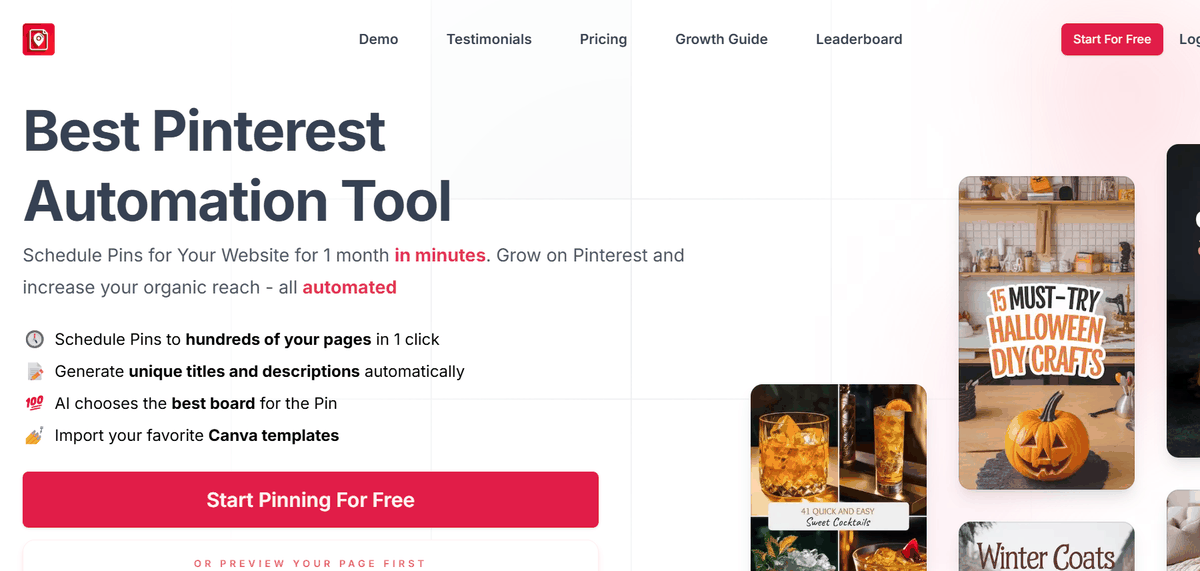
BlogToPin: automate pin creation and publishing from your website
BlogToPin is a Pinterest automation tool that scans a website, generates pins from its pages using AI templates and AI-written copy, picks boards for them, and publishes to Pinterest on a schedule.
The workflow: connect Pinterest account → add website or sitemap → choose templates → review pins in the Approve tab → publish.
Pins can be edited before they go live, and once approved, BlogToPin handles the publishing. It automates the main parts of the process: pin design, titles and descriptions, board selection, scheduling, and publishing. On the standard plan you still review pins before they go live; the Enterprise plan adds a daily auto-create option that can skip this step.
This makes BlogToPin useful for solo bloggers, especially those with a lot of content to turn into pins.
The main trade-off is brand control. BlogToPin uses AI-generated templates, so pins may look more like the tool's templates than a consistent extension of your brand. That's fine if your main goal is creating lots of pins quickly, but it may not be ideal if building a recognizable Pinterest presence matters to you.
There are a few other limitations. Team collaboration is currently tied to the Enterprise plan and marked as "coming soon." Design options mainly depend on its built-in templates, although Canva templates can be imported. There is also no permanent free plan, only limited free pinning.
Best fit: solo bloggers and affiliate marketers who care most about volume and automation.
Less ideal for: brands focused on visual consistency, agencies, or teams that need collaboration and multi-account management.
Supapin: automated pins that actually look like your brand
Supapin scans your website, turns your pages into polished pins, lets you customize colors and fonts to match your brand, generates SEO-focused titles and descriptions, helps with board selection, and lets you publish or schedule pins to Pinterest. It works with WooCommerce, Shopify and Etsy stores, and its higher plans allow much higher pin volumes.
The workflow: connect Pinterest → add your site → set brand style once → review the generated pins → publish.
The advantages are easier to see as problems solved than as a feature list.
On-brand pins matter because Pinterest is a visual search platform, and people tend to respond to consistent, designed pins more than interchangeable AI templates. Over time, using the same colors, fonts, and visual style helps build a recognizable presence — which is what turns Pinterest from just a place to publish content into a channel that brings in traffic.
The review step protects that consistency. Reviewing and approving pins before publishing helps make sure nothing off-brand reaches your audience. Full autopilot creation is on the roadmap, but today the approval step is yours.
Team access starts on the Pro plan, which matters the moment a client or a second Pinterest account enters the picture. Plans that gate team access behind an Enterprise tier turn into a real recurring cost fast.
Pricing runs on credits rather than a daily pin cap, which matters for anyone who works in batches. Daily caps tend to punish batch workflows by forcing volume to spread out artificially; credit-based pricing lets you decide when and how to spend your monthly volume instead.
Beyond the core automation, Supapin includes a pin generator that pulls from any URL, along with free Pinterest tools for keyword research, pin previews, SEO scoring, character counts, and board names — tools that support the overall strategy rather than just the publishing step.
Supapin runs on the official Pinterest API, so there's no unofficial automation involved and no added risk of account throttling from unsanctioned tools.
It fits best for bloggers who care how their pins actually look, ecommerce brands, agencies managing multiple client accounts, teams that need collaboration, and anyone treating Pinterest as a real traffic channel rather than a side experiment.
It fits less well for someone genuinely publishing under 10 pins a month, where Pinterest's native scheduler is already enough, or someone whose only priority is the lowest possible price for raw volume.
What each one actually costs
Low cost isn't always the point. What matters more is what the money actually buys and whether the time saved is worth what's being paid for it.
Pinterest's scheduler is free, but the real cost shows up in time: every pin still has to be designed, written, and uploaded by hand.
Once the decision moves toward Pinterest automation software, it comes down to how BlogToPin and Supapin structure their limits:
| Plan | Price (billed annually) | Price (monthly) | What it covers |
|---|---|---|---|
| BlogToPin Starter | $299/yr | $25 | 35 pins/day (1,000/mo), 500 AI pins/mo, unlimited accounts and websites |
| BlogToPin Agency | $599/yr | $50 | 350 pins/day (10,000/mo), 1,000 AI pins/mo |
| BlogToPin Enterprise | $1,499/yr | $125 | 1,000 pins/day (30,000/mo), 2,500 AI pins/mo, team members (coming soon) |
| Supapin Free | $0 | $0 | Pin creation; publishing and scheduling require credits |
| Supapin Starter | $204/yr | $17 | 200 credits/mo, 1 Pinterest account, smart scheduling, AI copy |
| Supapin Pro | $324/yr | $27 | 500 credits/mo, 3 Pinterest accounts, team members, advanced analytics |
| Supapin Business | $588/yr | $49 | 1,000 credits/mo, unlimited Pinterest accounts |
Put simply, BlogToPin caps by daily pin count, Supapin caps by monthly credits, and Pinterest native caps time itself.
For a solo blogger publishing at moderate volume, Supapin's Starter plan comes in cheaper than BlogToPin's Starter. For very high daily volume on a single site, BlogToPin's Agency plan has more headroom on daily pin count.
How to actually decide
The right choice mostly comes down to where your site currently sits and how much of the workflow is worth handing off.
Pinterest's native scheduler
A good fit if you publish fewer than 10 pins a week and prefer to design them yourself. It also works well if you want to avoid recurring costs or giving a third-party tool access to your account, or if you're still testing whether Pinterest is worth the effort.
BlogToPin
Fits best when pin volume is the priority. It's a practical option for solo operators who don't need team access, and for businesses selling on platforms that need those specific integrations. The trade-off is that if brand consistency and control over how every pin looks are important, BlogToPin may not be the strongest fit.
Supapin
A strong fit if you want your pins to look and feel like part of your website, with your own colors and fonts, while still automating the work behind them.
You review pins before they go live, and team access is included from the Pro plan, which is useful for people managing multiple Pinterest accounts or working with a VA or client. For a deeper head-to-head, our BlogToPin comparison covers the specific feature differences.
It also goes beyond basic creation and scheduling, with tools for keyword research, SEO scoring and pin previews. If the goal is to grow Pinterest traffic consistently rather than treat Pinterest as a side experiment, that broader workflow becomes more useful.
At the end of the day, the choice comes down to how much of the Pinterest workload is worth handing off, and whether brand consistency matters once it does.
Common questions
How many pins can you schedule on Pinterest natively?
Ten at a time, up to 30 days in advance. Once a scheduled pin publishes, its slot frees up for another.
Do you need a paid tool if Pinterest has its own scheduler?
Only if the tool needs to do more than publish. Pinterest's scheduler doesn't design pins, doesn't write titles or descriptions, and can't queue more than 10 at a time, so anyone pinning at meaningful volume, or anyone who cares how their pins look, outgrows it quickly.
What's the main difference between BlogToPin and Supapin?
Both automate the same steps — design, copy, board selection, scheduling, publishing — but BlogToPin generates AI-templated pin images while Supapin builds pins around your brand colors and fonts.
Are these tools safe to use with Pinterest?
Supapin publishes through Pinterest's official API, which is the approved method. Pinterest maintains a list of approved partner platforms for tools that plug into the API, and it's worth checking that any Pinterest automation tool sits within that framework before connecting an account.
Can any of them be tried for free?
Pinterest's scheduler is free with a Business account. Supapin has a free plan for creating pins, with publishing requiring credits. BlogToPin offers limited free pinning and a trial that requires a card.
Since creating pins on Supapin's free plan doesn't cost anything to start, it's a low-effort way to see what on-brand, automated pins actually look like before deciding whether to pay for publishing.
Ready to grow your traffic with Pinterest?
Turn the pages you already have into pins that send traffic back to your site.
Start for freeRelated Posts
Pinterest SEO in 2026: How Pinterest Actually Decides Which Pins Get Found
How Pinterest search works in 2026: where keywords count, why the image and board matter, and what your website has to do with ranking.
Tailwind vs Pin Generator vs Supapin: Which Fits Your Workflow?
A practical comparison of Tailwind, Pin Generator and Supapin: what each tool automates, what you still manage yourself, and which workflow fits your site.
How to Go Viral on Pinterest in 2026 (7 Ways That Work)
Going viral on Pinterest isn't luck. Seven repeatable tactics — design, SEO, volume, cadence and tracking — that actually move pins in 2026.