
Pinterest SEO in 2026: How Pinterest Actually Decides Which Pins Get Found
How Pinterest search works in 2026: where keywords count, why the image and board matter, and what your website has to do with ranking.
By Pedro Campos
 Supapin
Grow your traffic with Pinterest
- Turn your pages into pins
- Rank in Pinterest search
- Drive clicks back to your site
No credit card required
Pinterest SEO still starts with keywords, and it no longer ends there.
According to Pinterest's Visual Search Ads announcement from September 2026, people now run more than 80 billion searches on the platform every month.
The vast majority of those searches are visual, and more than half are commercial.
A Pinterest statistics guide also reports 1.7 billion monthly outbound clicks, showing how much activity happens beyond the search itself.
At the same time, the company is building systems that can read images and language together for visual search and content understanding.
That changes how the work needs to be done. A Pin brings together a title, description, image, board and destination page.
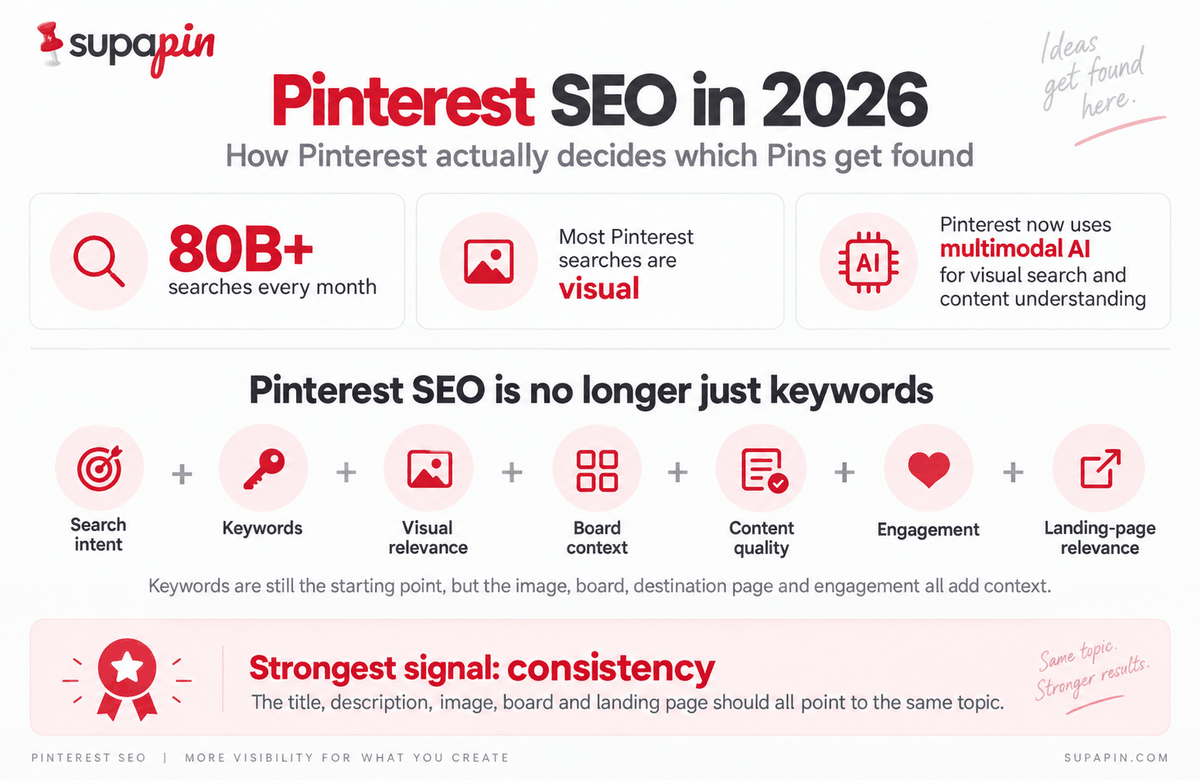
The platform's own engineering research shows that its search systems use text matching, visual representations of Pins, query-Pin interactions and engagement history. Keywords are the floor.
The rest of the Pin adds the context around them.
This guide looks at how Pinterest search works today, where keywords actually count, why the image matters, how boards add context, and what your own website has to do with all of it.
What Pinterest SEO means now
Pinterest SEO is about helping the platform understand what a Pin covers so it can surface that Pin for relevant searches. The obvious pieces are the keywords in the title and description.
Then there is everything around them: the image, the board, the quality of the content, the way people interact with the Pin and the page it leads to.
Pinterest describes itself as a visual search engine built for action. Its creator guidance on discoverability points to both how people interact with Pins and what the Pins contain, including keywords, original images and link quality.
For a long time, good advice could be summed up in four steps: find a keyword, put it in the title, add it to the description, and publish.
Those steps still matter. Pinterest's published research on search relevance that confirms that text matching remains part of the system. The problem is how much the four steps leave out.
Pinterest's leadership has said as much in public.
Speaking at Cannes Lions in June 2026, the company's Chief Business Officer said discovery will not be driven by keywords alone and will be shaped by context, taste and trusted recommendations.
A more accurate picture of SEO on Pinterest looks like this:
Search intent + keywords + visual relevance + board context + content quality + engagement + landing-page relevance
The strongest signal is consistency between those pieces. They should all point to the same topic.
What Pinterest's search system actually reads
Pinterest's engineering team has published some detail on how its search relevance systems work. That is far more useful than guessing about "the algorithm." It is also something most SEO guides barely discuss.
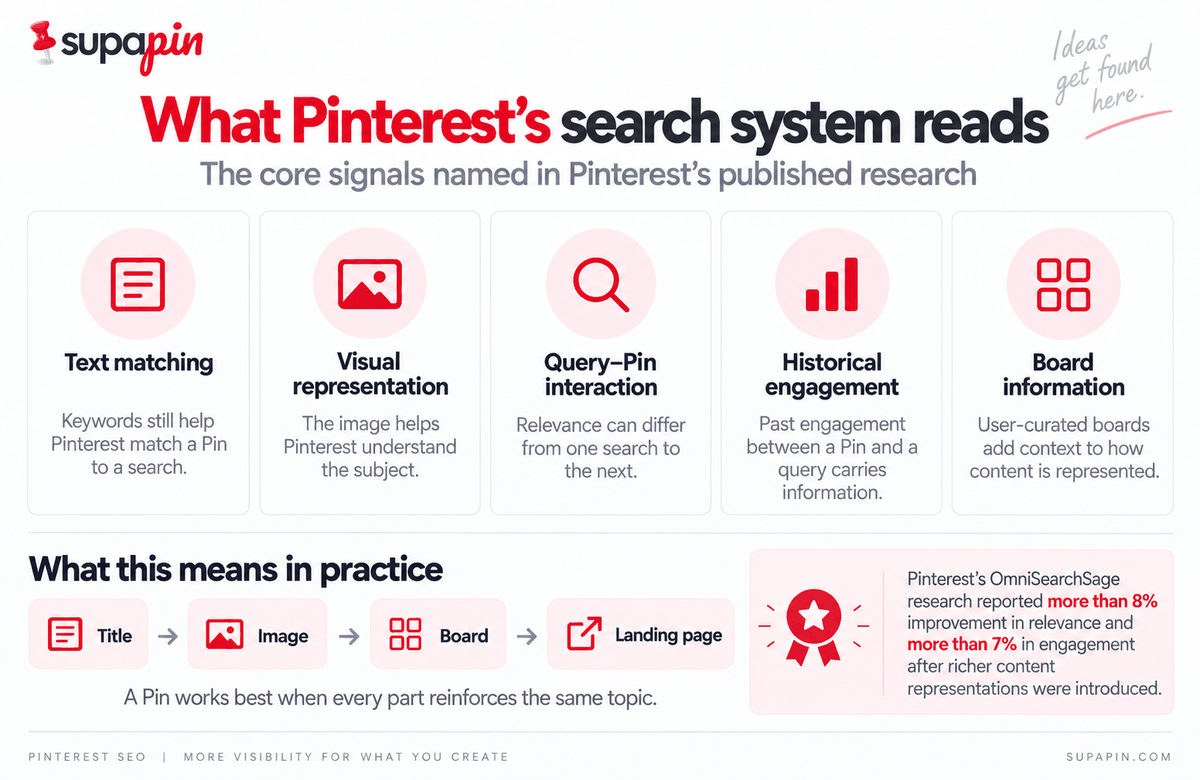
The signals Pinterest names
| Signal | What it means for a Pin | Source |
|---|---|---|
| Text matching | Keywords still help Pinterest match a Pin to a search | Pinterest Engineering |
| Visual representation of the Pin | The image helps Pinterest understand the subject | Pinterest Engineering |
| Query-Pin interaction | Relevance can differ from one search to the next | Pinterest Engineering |
| Historical engagement | Engagement between a Pin and a specific query carries information | Pinterest Engineering |
| Board information | User-curated boards feed into how content is represented | OmniSearchSage paper |
Pinterest's engineering team describes a relevance system that includes Pin-level features such as a visual embedding for the image, along with text-matching scores across the Pin's different text fields.
It also uses historical engagement between Pins and queries.
The practical version is simpler than the terminology suggests.
A Pin about small bedroom ideas should say that in the title, show a small bedroom in the image, sit on a board about small spaces and lead to a page that actually contains the ideas promised by the Pin.
What Pinterest Intelligence changes
The platform now has a public name for its AI layer: Pinterest Intelligence. In the same visual search announcement, the company describes it as visual understanding of images, products, taste and intent.
Behind that is a multimodal system that brings image and language models together for visual search and content understanding, as described in a NVIDIA partnership announcement earlier that month.
Keywords are still part of the system. Text matching appears in its published relevance research. The bigger change is the amount of context that it can read around those keywords.
The image, the wording, the board and the destination page can reinforce the same subject, or send mixed signals.
The four things Pinterest says matter for discoverability
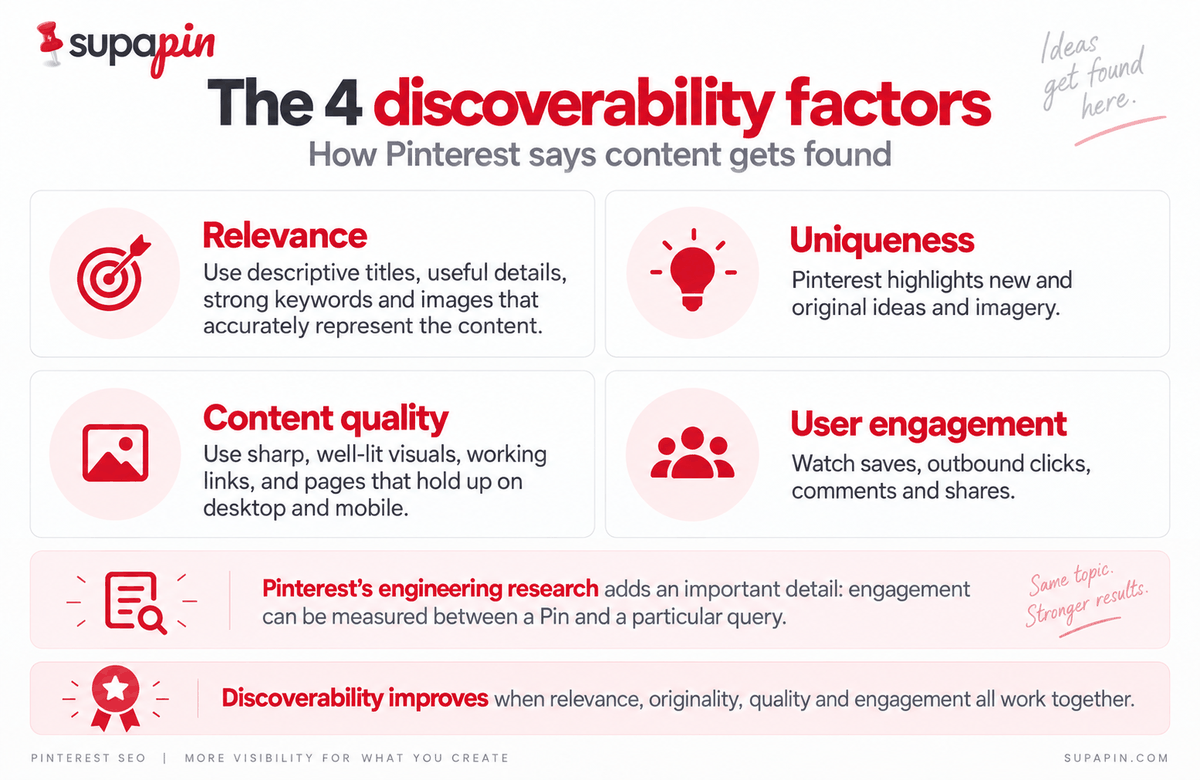
The platform's creator guidance groups discoverability into four areas: relevance, uniqueness, content quality and user engagement. That page was published in mid-2025 and is still the most recent creator-facing guidance on the subject.
Relevance
Pinterest recommends descriptive titles, clear details, strong keywords in descriptions and images that accurately represent the content.
Say the Pin is targeting easy dinner recipes. The title can make that topic clear, the description can add useful detail, the image can show the food, and the board can stay focused on weeknight cooking instead of general lifestyle content.
Together, those details give the platform a much clearer sense of what the Pin is about.
Uniqueness
On originality, Pinterest says its algorithm highlights new and original ideas and imagery.
For anyone using automation, that matters more than it sounds. One article can become several genuinely different Pins. That is very different from uploading the same design again and again with a new headline.
Automation tools are useful when they help create those distinct versions instead of simply producing more copies of the same Pin.
Content quality
The quality guidance is practical: sharp, well-lit visuals, working links and content that holds up on both desktop and mobile.
That last part is easy to skip over, given how much Pinterest traffic arrives on a phone. A polished Pin does not help much if the click leads to a broken page.
User engagement
The fourth area is how people interact with published Pins, including saves, clicks, comments, and shares. Saves and outbound clicks are especially useful to watch because they tell you whether people found the Pin worth saving or following through on.
This guide to what impressions actually measure explains how those metrics differ and why impressions alone can be misleading.
Its engineering work adds a useful detail that the four-pillar framework does not spell out: engagement can be measured between a Pin and a particular query.
So a Pin does not have one universal performance level. It can work well for one search and less well for another that looks almost the same.
How to add keywords to Pinterest, and where they actually count
In practice, start with the main search phrase in the Pin title. Use related language naturally in the description, then reinforce the same topic through the board, the image and the destination page.
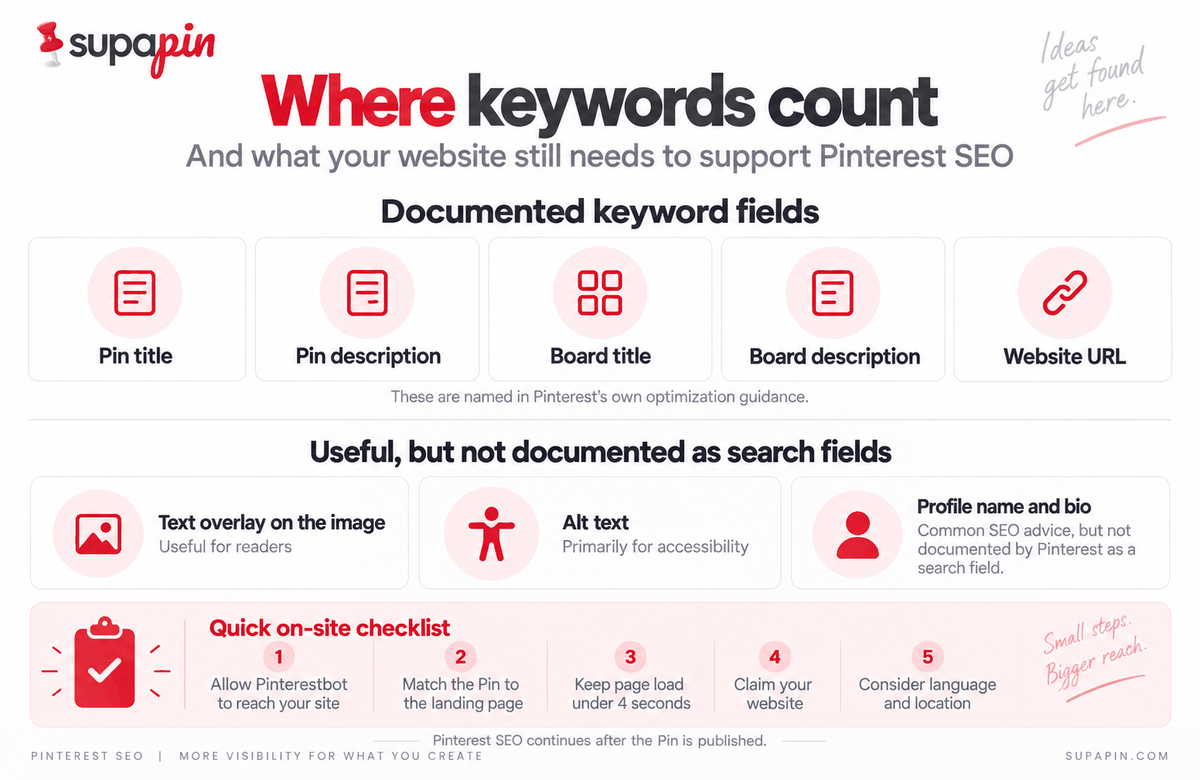
These are the main places keywords can appear, along with what Pinterest actually documents about them.
| Location | Status |
|---|---|
| Pin title | Named in Pinterest's own optimization guidance |
| Pin description | Named by Pinterest |
| Board title | Named by Pinterest |
| Board description | Named by Pinterest |
| Website URL | Named by Pinterest |
| Text overlay on the image | Not documented by Pinterest. Useful for readers regardless |
| Alt text | Primarily an accessibility field. Not documented as a search field |
| Profile name and bio | Widely recommended in SEO guides. Not documented as a search field |
The first five come from Pinterest's own advice on reviewing and optimizing published Pins, while the others are common SEO practices. That distinction is worth keeping in mind.
One quick distinction is useful here. Adding keywords to organic Pins is separate from keyword targeting in Pinterest Ads, which is set up inside Ads Manager and works on match types and bids. This section is about the organic side.
Pin titles
The title is one of the clearest ways to tell Pinterest and the reader what a Pin covers. Use the main search phrase naturally, and put it early when the wording still feels normal.
Almost 97% of the top searches on the platform are unbranded. People tend to search for what they want rather than who makes it, so a title that describes the thing usually does more work than one built around a brand name.
Better: Small Living Room Ideas for Apartments
Weaker: Beautiful Decorating Inspiration for Your Dream Space
The second title could sit above perfectly good content, but it gives very little away about the search it is meant to answer.
When one page needs several title variations, an automated Pinterest Title & Description Generator gives drafts worth editing before they go live.
Pin descriptions
Descriptions are there to add context, not to repeat the same phrase. Instead of forcing the primary keyword in four times, tell people what they will find after the click.
For a Pin about small living rooms, that could naturally include apartment layouts, furniture choices, storage solutions and space-saving decor.
That gives the description more useful context than repeating one keyword. Pinterest also recommends making sure the images, text and keywords in a Pin match the details on the landing page. Relevance matters more than density.
Board titles and descriptions
Board names can add another layer of context. "Home Stuff" says very little. "Small Apartment Decor Ideas" tells you exactly what belongs there.
Build boards around clear topics and name them in language people would actually use when searching. Board descriptions are another useful place to explain what belongs on the board, and many accounts leave that space empty.
Alt text
Alt text comes up a lot in discussions, so it belongs here, with one important caveat: Pinterest does not document it as a search field.
Its main job is to describe the image for people using screen readers, and the W3C's guidance on image descriptions is a useful reference for writing it well.
Good: "Small living room with a cream sofa, round coffee table and wall-mounted shelves."
Poor: "Small living room ideas, small apartment decor, living room ideas, home decor."
The second reads like a keyword list instead of useful alt text. Whatever writes the first draft, it should still be edited to match what the image actually shows.
Where keywords stop helping
Keyword optimization can turn into keyword stuffing pretty quickly. A profile bio packed with every possible variation does not make up for weak or irrelevant Pins.
The platform’s discoverability guidance focuses on the Pin's title, description, image, originality, quality and engagement rather than presenting the bio as a search field.
Descriptions need the same restraint. Write for the person reading them, then make sure Pinterest has enough clear information to understand the topic.
The image is read, not just displayed
One of the clearest differences between SEO for Pinterest and text-first SEO is the image. Its search relevance research includes a visual embedding for the Pin image among the Pin-level features in its system. The image carries information of its own.
Take two Pins targeting easy one-pan lemon chicken. One is a yellow gradient with the title placed over it.
The other shows the finished chicken in the pan, with lemon slices and herbs visible. Both can use the same keyword in the title. Only one shows the viewer the thing being searched for.
Pinterest's CEO made a related point on the company's Q4 2025 earnings call, describing one of search's biggest problems as people not having the words for what they want. An image that clearly shows the subject helps close that gap.
It recommends sharp, well-lit visuals and says the image should accurately reflect the content.
Text overlay can help people understand a Pin quickly, but it works better when it supports the image instead of covering it up.
Small problems are easy to miss until the finished Pin is actually in front of you. A Pin Preview shows where a title gets cut off in the feed and how the crop behaves, which is usually where plan and reality differ, so those issues get caught before publishing.
What boards actually tell Pinterest
Boards are often treated like folders. The platform’s own research suggests they provide more context than that.
OmniSearchSage research describes user-curated boards as one of the inputs used to build its representations of content.
The paper reports more than 8% improvement in relevance and more than 7% in engagement in the production search system after these richer representations were introduced.
Pinterest has described the same idea more recently. On the same earnings call, the company said its core recommendation model, OmniSage, is trained on the associations people make across Pins, products and boards, and is used to retrieve and rank content.
The platform credits it with increasing saves across the platform.
In practical terms, a Pin about vegan dinner recipes sitting in a board called Vegan Dinner Recipes gives Pinterest clearer context than the same Pin sitting in a board called Things I Like. A focused board keeps the topic clear. A mixed board gives it more unrelated material to interpret.
A keyword-rich board name still guarantees nothing. The point is simply that the board is another signal, and it is easy to waste it.
Saving one Pin across ten loosely related boards works against the account twice, once on spam signals and once on context.
The half of Pinterest SEO that happens on your own site
Pinterest SEO continues after a Pin is published. The company said on that earnings call that the platform generates 1.7 billion outbound clicks a month, and every one of those clicks lands on a website.
That is part of why the platform's Business help center spends so much time on the destination page, with several technical recommendations that are easy to miss in typical SEO guides.
Make sure Pinterestbot can reach your site
Pinterestbot is how the platform retrieves information from the pages your Pins link to. It recommends making sure your domain or hosting provider is not blocking it.
This can fail quietly. A robots.txt rule, firewall setting or bot-protection service can block the crawler while Pins keep publishing as usual, leaving Pinterest with very little information about the page behind the link.
Check your site's robots.txt for rules that block Pinterestbot, then check whether your security or CDN provider has bot filtering enabled by default.
Match the Pin to the landing page
A Pin should make a promise the linked page can keep. A Pin titled 10 Small Bathroom Storage Ideas should open a page containing those ideas, not a homepage or a generic category listing.
The platform itself specifically recommends checking that the images, text and keywords in the Pin match the details on the landing page. That puts the destination page firmly inside the optimization process instead of leaving it as an afterthought.
Check page speed
Pinterest recommends running a website speed test and ensuring the domain loads in under four seconds. A free tool like Google's PageSpeed Insights makes that easy to check. If the page is slow, a useful Pinterest click can end with the visitor simply going back.
Claim your website
It also suggests claiming your website so you can get analytics for the Pins you publish from your site as well as Pins other people create from it.
Without claiming and verifying, Pinterest treats what you save as saved content rather than published content, which changes what shows up in your analytics.
Consider language and location
The platform's Business help guidance says distribution can vary with language and location, and that seasons, holidays, formats and trending topics can also affect engagement.
That matters when content is aimed at more than one market. A phrase that feels natural in one country may not be the phrase people actually search for somewhere else.
It is also where most of its audience is. Of the 640 million monthly users Pinterest reported in its Q2 2026 results, around 534 million were outside the US and Canada.
How often should you actually Pin?
There is no magic daily number that guarantees growth. The numbers repeated in its advice are not rules from Pinterest.
Its distribution guidance recommends creating content frequently and consistently, with specific advice to aim for original content weekly.
It also says there is no set engagement window. A Pin can keep gaining engagement hours, days, months or even years after publication.
Consistency matters more than chasing a particular posting number. A single blog post about small bedroom design can support several genuinely different Pins:
- Small Bedroom Ideas for Couples
- 10 Small Bedroom Storage Ideas
- How to Make a Small Bedroom Feel Bigger
- Small Bedroom Layout Ideas
- Minimalist Small Bedroom Decor
It is the same article, but each Pin serves a different search intent and has a different image. That is very different from publishing the same image five times.
The platform warns against repeatedly saving the same Pins or uploading content that already exists on the platform.
It says this can lead to spam flags and temporary blocks on creating Pins. Supapin's breakdown of Pinterest violation notices covers the common causes and what to look at when an account runs into one.
What Pinterest SEO advice still gets wrong
Advice about Pinterest search gets copied around quickly, which makes old or unsupported claims surprisingly hard to avoid.
Outdated statistics
Pinterest reported 640 million monthly active users in its second-quarter 2026 earnings release, up 11% year over year. Its current search figure is more than 80 billion searches per month.
Some 2026 guides still cite user numbers ranging from 498 million to 631 million, and the five-billion monthly search figure from years ago is still floating around.
Any statistic borrowed from another SEO article is worth checking against Pinterest's own reporting before it makes it into a strategy deck.
Made-up ranking factors
Terms such as "Account Quality Score," "Curator Authority" and "Expert Curators" show up in Pinterest SEO content and sound official enough to repeat. They do not appear in anything Pinterest has published.
In its published search research, the company describes text matching, visual representations, query features and engagement.
It is better to build a strategy around signals that can actually be traced to Pinterest's own material.
Pinterest search volume is not a simple number
Pinterest Trends is useful for seeing direction and seasonality rather than a simple monthly volume number, and its data comes from Pinterest itself.
Third-party keyword tools measure things differently, and some of the numbers labeled as Pinterest search volume come from other sources entirely.
Keyword research still has a useful job. It helps find related topics, compare the ways people phrase the same search and spot seasonal patterns early.
The important part is knowing what a particular tool is actually measuring before treating its numbers as precise.
This detailed guide on how to do keyword research covers the full process, including which free sources come directly from Pinterest.
How to improve SEO on Pinterest when things are not working
Pinterest SEO best practices are easier to work through in an order than as a giant checklist. When an account has stalled, start with the foundation and move upward.
1. Check the technical foundation. Make sure Pinterestbot can reach the site, the links work and the pages load quickly.
2. Check relevance. Look at the Pin, the board and the landing page together. They should all describe the same thing.
3. Improve the text. Make titles specific, and give the descriptions enough detail to be useful.
4. Improve the visual. Check that the image actually shows the subject instead of only hinting at it.
5. Build a publishing habit. More Pins create more opportunities, provided each one is distinct and worth clicking.
This is where automation can help with repetitive work, especially creating variations and preparing content from pages that already exist. The final choice about what gets published should still stay with a person, and Pinterest's developer guidelines require apps that schedule Pins to let the user choose each one.
FAQ
Does Pinterest SEO still work in 2026?
Yes. Pinterest still describes itself as a visual search engine and recommends relevant keywords, original content, quality visuals and engagement as part of discoverability. The big change is how much more than text its search systems can now read.
How long does Pinterest SEO take to work?
There is no fixed timeline. Pinterest says there is no set engagement window for Pins, and that a Pin can gain engagement hours, days, months or even years after publication.
What is the best way to add keywords to Pinterest?
Start with one clear search intent. Use the main phrase naturally in the Pin title and description, then carry that same topic through the image, the board and the destination page.
How many keywords should one Pin target?
Pinterest has no stated rule. Keeping one clear search intent in focus makes it easier to let closely related terms appear naturally instead of making one Pin chase several unrelated searches.
Does Pinterest read your website?
Yes. Pinterest recommends making sure Pinterestbot can retrieve information from your site and that the Pin's images, text and keywords match the details on the landing page.
Do hashtags help Pinterest SEO?
Hashtags are better treated as a minor detail than a core strategy. Pinterest's current discoverability guidance is built around relevance, uniqueness, content quality and engagement, and hashtags do not appear in it.
Do Idea Pins still exist?
No, not as a separate format. According to Pinterest's Business Community announcement, Idea Pins were merged into standard Pin creation, and previously created Pins with pages are preserved and distributed as videos.
Features that used to be split between the formats, including links, scheduling and post-publish editing, are now available across image and video Pins.
The short version
The basics have not changed much. Understand what people search for, use that language naturally, make something worth clicking and keep publishing.
The difference is that Pinterest can now read much more of a Pin, so the words, image, board and destination page all contribute.
Keywords are the floor. Everything else decides how high the Pin goes.
Ready to grow your traffic with Pinterest?
Turn the pages you already have into pins that send traffic back to your site.
Start for freeRelated Posts
BlogToPin vs Pinterest Scheduler vs Supapin: Which Fits You?
Pinterest's native scheduler, BlogToPin and Supapin compared: what each one automates, real pricing, and a straightforward way to decide which fits your workflow.
Tailwind vs Pin Generator vs Supapin: Which Fits Your Workflow?
A practical comparison of Tailwind, Pin Generator and Supapin: what each tool automates, what you still manage yourself, and which workflow fits your site.
How to Go Viral on Pinterest in 2026 (7 Ways That Work)
Going viral on Pinterest isn't luck. Seven repeatable tactics — design, SEO, volume, cadence and tracking — that actually move pins in 2026.