
Tailwind vs Pin Generator vs Supapin: Which Fits Your Workflow?
A practical comparison of Tailwind, Pin Generator and Supapin: what each tool automates, what you still manage yourself, and which workflow fits your site.
By Pedro Campos
 Supapin
Grow your traffic with Pinterest
- Turn your pages into pins
- Rank in Pinterest search
- Drive clicks back to your site
No credit card required
If you already have a website or store full of content, Pinterest can turn that content into another source of traffic. The problem is keeping up with pins without turning Pinterest into a second job.
That is where a Pinterest automation tool fits. It turns the content you already have into ready-to-schedule pins, writes the Pinterest copy, helps match pins to boards, and brings scheduling, publishing, and analytics into the same workflow.
Tailwind and Pin Generator can solve parts of that job too, so the right choice comes down to how you want to work.
This comparison looks at what each tool actually handles, what you still have to manage yourself, and which workflow makes the most sense for your site or store.
The short answer
Supapin is the best fit if you want your website or store content turned into on-brand pins with Pinterest SEO copy, scheduling, publishing, and analytics in one focused workflow, without managing a wider Pinterest suite.
Tailwind is the better fit if you post beyond Pinterest or want deeper growth tools, including advanced analytics, keyword tracking, and broader social support, and you are comfortable managing a larger platform.
Pin Generator is the better fit if your main need is producing a high volume of pins with strong template and design control, and you are happy reviewing batches before they go out.
The difference is less about which tool has the longest feature list and more about which one fits the way you want to run Pinterest.
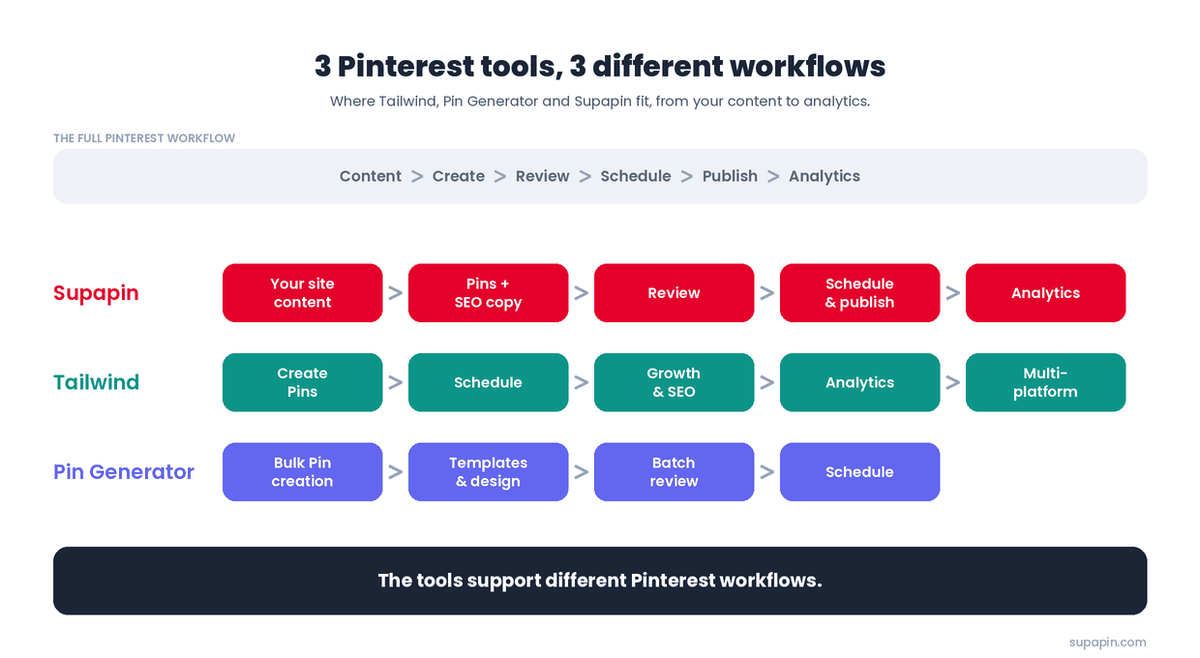
Tailwind vs Pin Generator vs Supapin at a glance
| Criteria | Supapin | Tailwind | Pin Generator |
|---|---|---|---|
| Built for | Focused site-to-Pinterest workflow | Pinterest + social growth suite | High-volume pin creation |
| Where your content comes from | Your existing site and store pages | Pins you make or SmartPin drafts | URLs, feeds, CSV, stores |
| Pins created for you | Yes, Pinterest-ready from your site + AI SEO copy | Yes, via SmartPin | Yes, at high volume |
| Review step for generated pins | Yes, before publishing | Yes, for SmartPin | Yes, batches are reviewed |
| Scheduling & publishing | Yes | Yes | Yes |
| Pinterest keyword / SEO tools | AI SEO copy in pins + free tools | Dedicated SEO + rank tracking | Keyword tool + trends |
| Analytics | Built-in dashboard | Deepest of the three | Basic |
| Platforms | Pinterest only | Pinterest + Instagram + Facebook | |
| Pricing model | Credit-based, from $17/mo billed annually | Modular, per account, from about $18/mo | Credit plans + lifetime deals |
| Best for | Simple, focused Pinterest management | Deep Pinterest growth tools | High-volume pin creation |
Prices and plan limits can change. Check the current pricing pages before purchasing.
How Supapin works
Supapin is built around the content you already have. Instead of starting with a blank pin and figuring out what to write, you point it at your website and let it work from the pages that already exist.
The workflow starts by scanning your content. Supapin pulls the relevant information and images from a page and turns it into multiple pin variations. The designs are built around your brand, and the platform writes Pinterest-focused titles and descriptions for you.
The path looks like this:
Website or store content → pin designs + SEO copy → board matching → review → schedule & publish → analytics
It also matches pins to relevant boards based on the content. That means you are not only creating a pin, but also handling some of the smaller decisions that usually add up when you manage Pinterest manually.
From there, you review the generated pins, make any changes you want, and schedule them. Supapin gives you analytics for impressions, saves, and clicks, so the workflow does not stop once a pin is published.
Publishing runs through Pinterest's official API using OAuth, so Supapin never sees or stores your Pinterest password. Tailwind is a verified Pinterest partner, and Pin Generator publishes through Pinterest too, so account safety is rarely the deciding factor between them. Our Pinterest automation FAQs cover what is allowed in more detail.
The advantage is mostly about keeping those pieces together. Your content is already the source, the pin design and copy are generated from it, and scheduling, publishing, and analytics stay in the same Pinterest-focused tool.
That means you are not hunting for images, starting every title from scratch, or moving between separate places for creation, scheduling, and reporting. The fact that Supapin focuses on Pinterest also keeps the workflow centered on this particular job rather than a wider set of social platforms.
One important distinction: Supapin's fuller Pinterest on autopilot mode is still marked as coming soon. Today, you create and approve pins before they publish. The upcoming automation should be treated as a future feature, not the reason to choose Supapin today.
How Tailwind differs
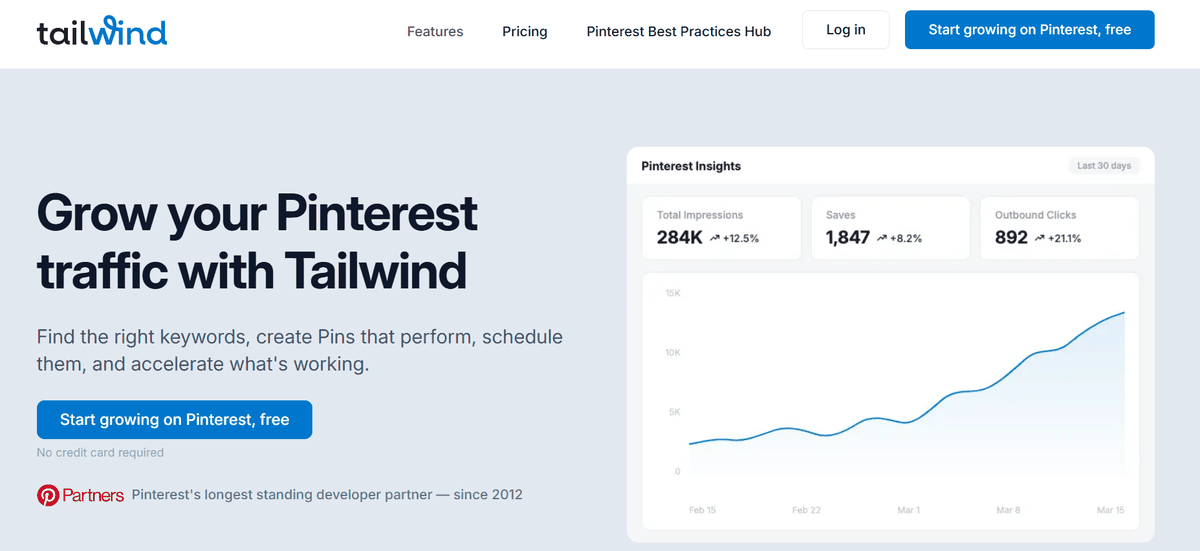
Tailwind has a long history in Pinterest marketing, is a verified Pinterest partner, and has built its product around both publishing and Pinterest growth.
Its current offering is modular. The Pin Scheduling & Creation product handles pin creation and publishing, SmartSchedule, pin spacing, and other scheduling features. Tailwind also sells separate Pinterest SEO and Pinterest Engagement products.
SmartSchedule is useful when you do not want to think about posting times. It builds a schedule around your account and distributes pins through those slots. SmartLoop helps with evergreen content, while Communities provides another way to extend distribution. SmartPin can create a fresh pin for a chosen URL regularly, with a review step before the generated pin is scheduled.
The other major advantage is depth. Tailwind gives you more advanced Pinterest analytics and keyword tracking than the other tools in this comparison. It also reaches beyond Pinterest, which matters if your social workflow includes Instagram and Facebook.
That breadth comes with a trade-off. The full Pinterest setup can mean using several Tailwind products rather than one module. The Pinterest products work out to roughly $30 a month when bundled annually, and pricing is per Pinterest account. There is also more to learn and more settings to manage.
So if Pinterest is one part of a broader social strategy, or you want to spend more time working with growth data, keywords, and distribution tools, that extra depth can be worthwhile.
Your part is still fairly hands-on. You shape and approve pins, decide which parts of the suite you need, and spend time managing the system.
If your decision has come down to these two, see our full Tailwind and Supapin comparison.
How Pin Generator differs
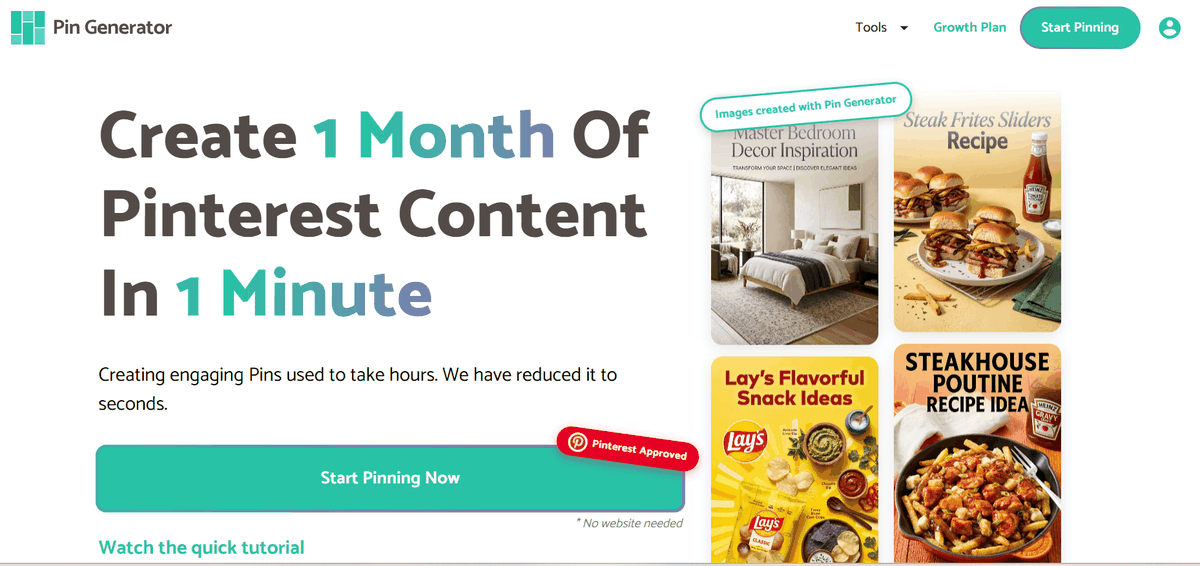
Pin Generator is built around a different bottleneck: making a lot of pins quickly.
You can bring in content through URLs, RSS or Atom feeds, CSV files, and store integrations. It also offers a template builder, Canva import, Pinterest keyword research, and trend alerts. If you already have a large library of blog posts, products, or other content, that makes it easier to turn the same source material into a high volume of pins.
Its automation wizard adds scheduled batch creation. You choose how many pins you want created per day, and Pin Generator builds batches around that target. Three pins a day becomes 21 pins across a week.
The important part is the review step. The automation workflow explicitly generates each batch for you to review before the pins are published. It recommends starting with weekly batches so you can check the quality, then moving to longer intervals once you are comfortable with the results.
That makes Pin Generator much more than a simple pin designer, but it is still a review-and-curate workflow. You let the system create the volume, then decide which pins are worth sending out.
The product also gives you more control over the design side than Supapin. If you care a lot about templates, Canva imports, and making large batches of visual variations, that can be a real advantage.
There are trade-offs too. Some independent reviews report reliability issues, and its reporting is lighter than Tailwind's. That makes it a strong choice if high-volume creation and design control are your priority. If your priority is keeping the whole workflow focused on your own website or store content, you may not need that level of production control.
Pricing is credit-based, with monthly, annual, and some lifetime-deal options. Exact prices and credit limits can change, so check the current plan before buying.
Pin Generator is best for creators, affiliates, and stores that need to produce lots of pins, want strong design control, and do not mind reviewing batches before they publish.
How much work is actually left with each?
All three tools remove a big part of the Pinterest grind. You are not manually designing every pin from scratch, writing every description by hand, or planning every publishing slot yourself.
The difference is what you still have to manage around that automation.
With Pin Generator, the system can create large batches for you, but you are still the editor. You review the output and choose what is worth publishing. If something is off, you are the person deciding what gets changed or discarded.
With Tailwind, less of the effort is about creating pins from scratch and more of it is about managing a much broader system. You have more tools, modules, analytics, keyword features, and, depending on your setup, more than one social platform to think about.
With Supapin, the workflow stays focused on your website and Pinterest. Your content is the starting point, the platform creates brand-consistent pins and SEO copy, matches boards, handles scheduling and publishing, and gives you analytics in the same place. You still review pins before they go out, but once you approve and schedule them, publishing runs on the schedule without you.
That is why the useful comparison is not simply who has the most automation. All three automate parts of the process. The more practical question is how much you want to manage:
- Pin Generator: create a lot, then curate the batches.
- Tailwind: use a deeper toolkit and stay involved in the strategy.
- Supapin: keep the Pinterest workflow focused, review the output, and let one tool handle the rest.
If your priority is reducing the number of things you need to manage, Supapin is the strongest fit for that workflow.
Pricing and value
| Supapin | Tailwind | Pin Generator |
|---|---|---|
| $17/month on Starter, billed annually | $17.99/month for Pin Scheduling & Creation | $29.99/month on Pro |
| Credit-based plans | Modular, per Pinterest account | Credit-based plans |
| Pin creation, AI text generation, smart scheduling and analytics in one product | Scheduling & Creation, with Pinterest SEO and Engagement sold separately | High-volume pin creation, templates and scheduling |
| 200 credits/month on Starter | 300 credits/month for Scheduling & Creation | 1,000 credits/month on Pro |
| 1 account on Starter, 3 on Pro, unlimited on Business | Pricing is per Pinterest account | Higher plans scale to 4,000 and 10,000 credits/month |
| $27 Pro / $49 Business | Full Pinterest bundle: $29.98/month | $49.99 Growth / $69.99 Agency |
The monthly price only tells part of the story. The more useful comparison is what each plan covers and how the pricing scales as your Pinterest needs grow.
Supapin starts at $17/month on the annual Starter plan, with 200 credits and one Pinterest account. Pro is $27/month with 500 credits and three accounts, while Business is $49/month with 1,000 credits and unlimited Pinterest accounts. Smart scheduling and AI text generation are included across the plans, with analytics expanding at higher tiers. You can see the full breakdown on our pricing page.
Tailwind takes a modular approach. Pin Scheduling & Creation is $17.99/month, with Pinterest SEO at $11.99 and Pinterest Engagement at another $11.99. The three can be bundled for $29.98/month. That structure works well when you only need certain parts of the Tailwind toolkit, while users who want the full Pinterest setup pay for more of the suite. Pricing is also per Pinterest account.
Pin Generator's Pro plan is $29.99/month for 1,000 credits, with Growth at $49.99 for 4,000 credits and Agency at $69.99 for 10,000 credits. The higher tiers are aimed at brands increasing Pinterest volume and larger operations managing multiple accounts.
So the question is not simply which tool is the most affordable. It is: what are you getting for the plan you are paying for, and how much of your Pinterest workflow does it cover?
Pin Generator is more compelling when high-volume creation is the priority. Tailwind makes more sense when you want to add deeper SEO, analytics and engagement tools to your Pinterest setup. Supapin is a strong fit when you want the core creation, AI copy, scheduling and analytics workflow together in one Pinterest-focused product.
Who should choose Supapin, and who's better off elsewhere?
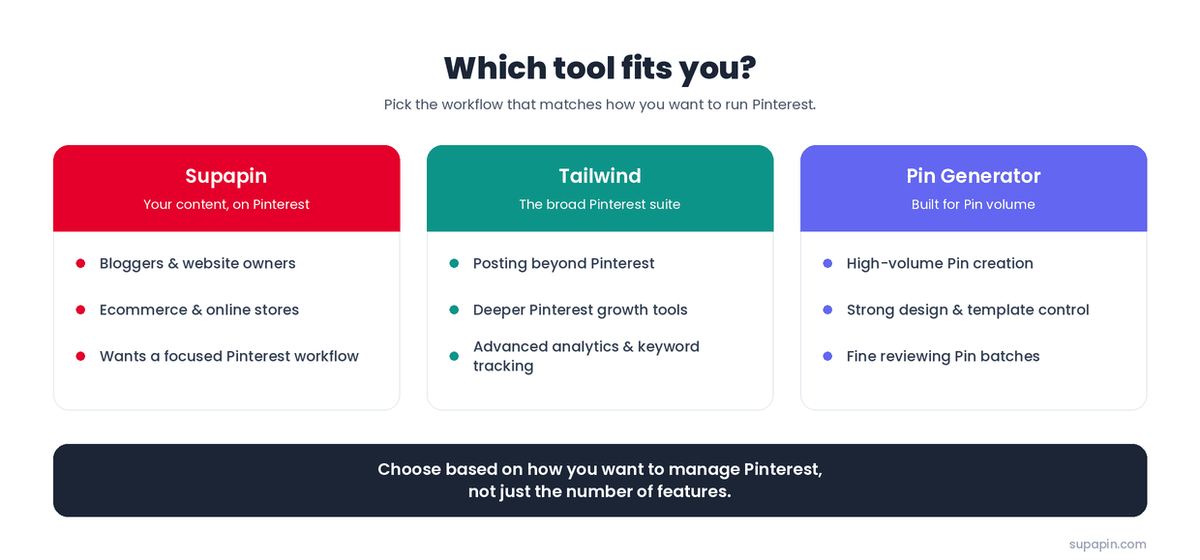
Start with the job you are trying to solve.
Choose Supapin if you run a blog, website, or store and want your existing content turned into on-brand pins with SEO copy, then scheduled, published, and measured in one focused Pinterest workflow. It is especially useful when you want Pinterest to keep working from the content you already have without having to manage a large suite.
Consider Tailwind if you post beyond Pinterest, or you want the deepest growth toolkit, advanced analytics, keyword tracking, and broader platform support. It makes more sense when you are willing to spend more time inside the system in exchange for that extra depth.
Consider Pin Generator if your main need is producing a high volume of pins with strong template and design control, and you are happy reviewing larger batches before they go out.
For bloggers, all three can work. The difference is whether the priority is high-volume creation, a broader Pinterest growth suite, or a focused workflow built around your own content.
For ecommerce, catalog size and workflow matter. Both Pin Generator and Supapin can pull content from stores. The real choice is whether you want a production-heavy workflow with large batches to curate, or a focused system that keeps the store-to-Pinterest process in one place.
For multiple accounts, check the current pricing carefully. Tailwind's model is priced per Pinterest account, while Supapin's higher tiers support more accounts, including unlimited accounts on Business. Pin Generator also advertises unlimited profiles on some plans, so verify the current tier before deciding based on account volume.
Picking the right Pinterest workflow
Pin Generator, Tailwind, and Supapin can all help you create and publish pins, but they are built around different ways of working.
Pin Generator is a strong fit when your priority is producing lots of pins and you are happy to review the batches. Tailwind makes sense when you want a deeper Pinterest growth suite, more advanced analytics and keyword tools, or support beyond Pinterest.
Supapin is built for the website or store owner who wants existing content turned into pins built around their brand, managed through a focused Pinterest workflow from creation to publishing and reporting.
If that is the workflow you want, creating pins is free in Supapin, so you can point it at your site and see what it produces from your own content before deciding whether the rest fits.
Ready to grow your traffic with Pinterest?
Turn the pages you already have into pins that send traffic back to your site.
Start for freeRelated Posts

Pinterest SEO in 2026: How Pinterest Actually Decides Which Pins Get Found
How Pinterest search works in 2026: where keywords count, why the image and board matter, and what your website has to do with ranking.
BlogToPin vs Pinterest Scheduler vs Supapin: Which Fits You?
Pinterest's native scheduler, BlogToPin and Supapin compared: what each one automates, real pricing, and a straightforward way to decide which fits your workflow.
How to Go Viral on Pinterest in 2026 (7 Ways That Work)
Going viral on Pinterest isn't luck. Seven repeatable tactics — design, SEO, volume, cadence and tracking — that actually move pins in 2026.